TrayApp
Experimental
TrayApp is in alpha. The API may change. Use @OptIn(ExperimentalTrayAppApi::class).
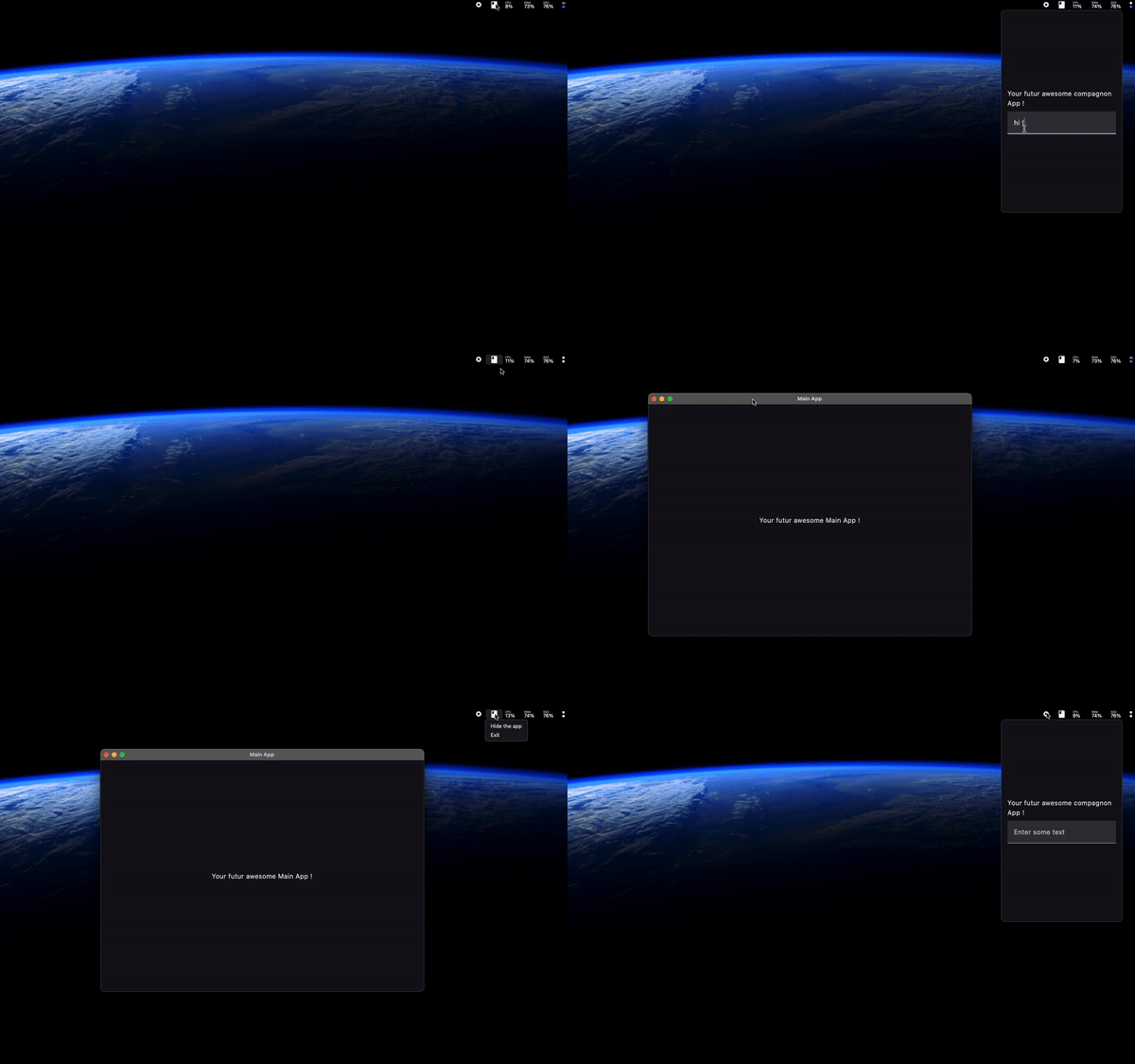
TrayApp creates a popup Compose window anchored to the tray icon — similar to macOS menu bar apps like Bartender or iStatMenus. Click the tray icon and a window appears right next to it, with smooth enter/exit animations.
Basic usage
@OptIn(ExperimentalTrayAppApi::class)
fun main() = application {
    TrayApp(
        icon = Icons.Default.Dashboard,
        tooltip = "Quick Dashboard",
        windowSize = DpSize(300.dp, 400.dp),
    ) {
        // This is a full Compose window
        Column(Modifier.fillMaxSize().padding(16.dp)) {
            Text("Dashboard", style = MaterialTheme.typography.h6)
            Spacer(Modifier.height(8.dp))
            Text("CPU: 42%")
            Text("RAM: 8.2 GB")
        }
    }
}
State management
Control visibility and window size programmatically:
@OptIn(ExperimentalTrayAppApi::class)
fun main() = application {
    val state = rememberTrayAppState(
        initialWindowSize = DpSize(350.dp, 500.dp),
        initiallyVisible = false,
        initialDismissMode = TrayWindowDismissMode.AUTO,
    )

    TrayApp(
        icon = Icons.Default.Dashboard,
        tooltip = "Dashboard",
        state = state,
    ) {
        Column {
            Text("Dashboard")
            Button(onClick = { state.hide() }) {
                Text("Close")
            }
            Button(onClick = { state.setWindowSize(500.dp, 600.dp) }) {
                Text("Resize")
            }
        }
    }
}
TrayAppState API
| Method / Property | Description |
|---|---|
isVisible: StateFlow<Boolean> |
Current visibility state |
show() |
Show the popup window |
hide() |
Hide the popup window |
toggle() |
Toggle visibility |
setWindowSize(size) |
Resize the popup |
setDismissMode(mode) |
AUTO (click outside closes) or MANUAL |
onVisibilityChanged(callback) |
Listen for visibility changes |
With a context menu
TrayApp can have both a popup window (left-click) and a context menu (right-click):
@OptIn(ExperimentalTrayAppApi::class)
fun main() = application {
    TrayApp(
        icon = Icons.Default.Dashboard,
        tooltip = "Dashboard",
        menu = {
            Item(label = "Settings") { openSettings() }
            Divider()
            Item(label = "Quit") { exitProcess(0) }
        },
    ) {
        Text("Popup content here")
    }
}
Window options
| Parameter | Default | Description |
|---|---|---|
windowSize |
DpSize(300.dp, 200.dp) |
Initial popup size |
visibleOnStart |
false |
Show popup immediately on launch |
enterTransition |
Platform default | Animation when popup appears |
exitTransition |
Platform default | Animation when popup disappears |
transparent |
true |
Transparent window background |
undecorated |
true |
No title bar or window chrome |
resizable |
false |
Allow user resizing |
horizontalOffset |
0 |
Horizontal offset from tray icon position |
verticalOffset |
Platform default | Vertical offset from tray icon position |